

FROM CONCEPT TO QUOTE IN MINUTES – ENERGY PRODUCTION SIMULATION, PRECISE MATERIAL CALCULATION, AND READY-MADE OFFER. IT CAN’T GET ANY FASTER.
Comprehensive Roof Design with Hidden Photovoltaics in Minutes
The entire process, from design to order, becomes simpler. ROOF3D not only calculates the amount of material needed but also optimizes it to avoid additional costs resulting from excess. Easily and quickly receive a complete offer with a SOLROOF panel layout plan and estimated installation power.
The program is dedicated to BP2 partners and distributors. To become one of them, contact us.
REQUEST ACCESSPOWER OF BENEFITS
Explore the System
Discover ROOF3D – the new way to conveniently design SOLROOF roofs for customers and partners. We’ve created ROOF3D, our proprietary application for quoting SOLROOF systems – quickly generate quotes with an easy-to-use and intuitive interface.





POWER OF FUNCTIONALITY
One System, many Possibilities
START BY CREATING A DESIGN
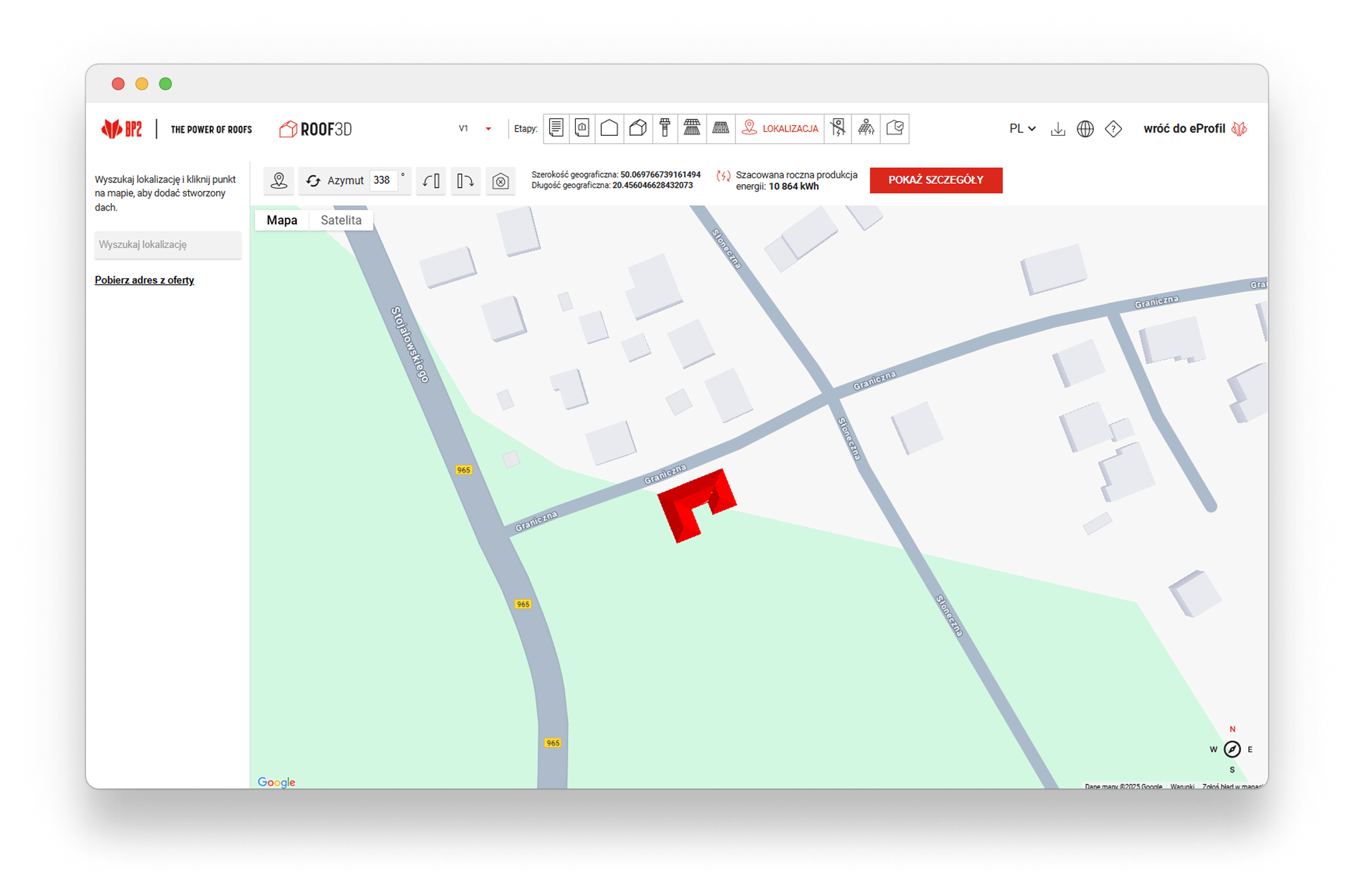
You enter the basic data using Google Maps, select a roof from our repository, and you’re ready to begin.

USE THE AVAILABLE TOOLS
We provide a complete set of intuitive tools that allow you to edit roof geometry, such as adding cut-outs to roof slopes or building the roof volume as a 3D model.
OPTIMIZE AND SAVE
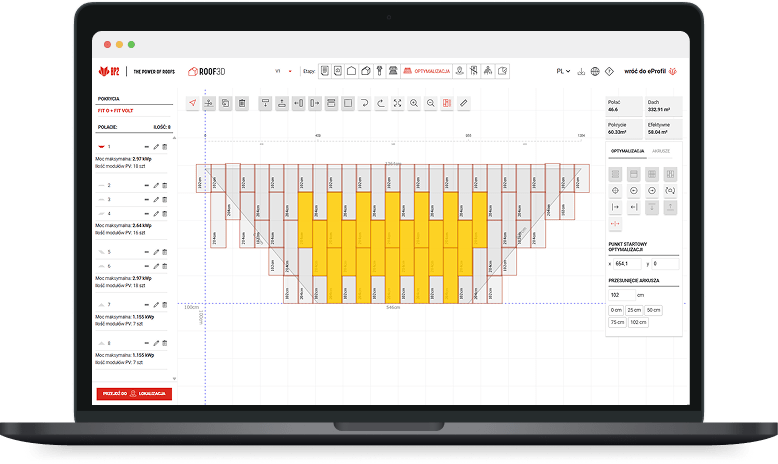
Save time and money thanks to automatic sheet layout planning on the SOLROOF roof and optimization of components such as flashings and accessories. You can edit the generated design at any time by adding or removing elements.

CUSTOMIZE THE OFFER
Use the intelligent PV panel selection system – simply enter the planned system capacity, and the system will automatically indicate the most energy-efficient panels. Based on roof orientation from Google Maps and by prioritizing south-facing roof slopes, the algorithm maximizes energy yield without requiring your time or involvement.
GENERATE THE OFFER
Automatically calculate the full installation cost – from PV panels to accessories and flashings. The system allows you to edit the offer by applying discounts, setting your own sales prices, and calculating distributor profit and margin. Everything in one place, with no manual calculations required.
LEARN MORE
Ready-made Design at your Fingertips
ROOF3D generates a complete roof design that you can use right away. It’s not just a time-saver, but also a money-saver. The system visualizes the roof in 3D directly on Google Maps, precisely determines its orientation and surface area, and then calculates the actual energy production. Based on this, you can generate a complete, professional offer – including all components, prices, margin, and the real power of the installation and estimated yields.

STEP BY STEP
Create a Project in a few Simple Steps

Draw the Roof
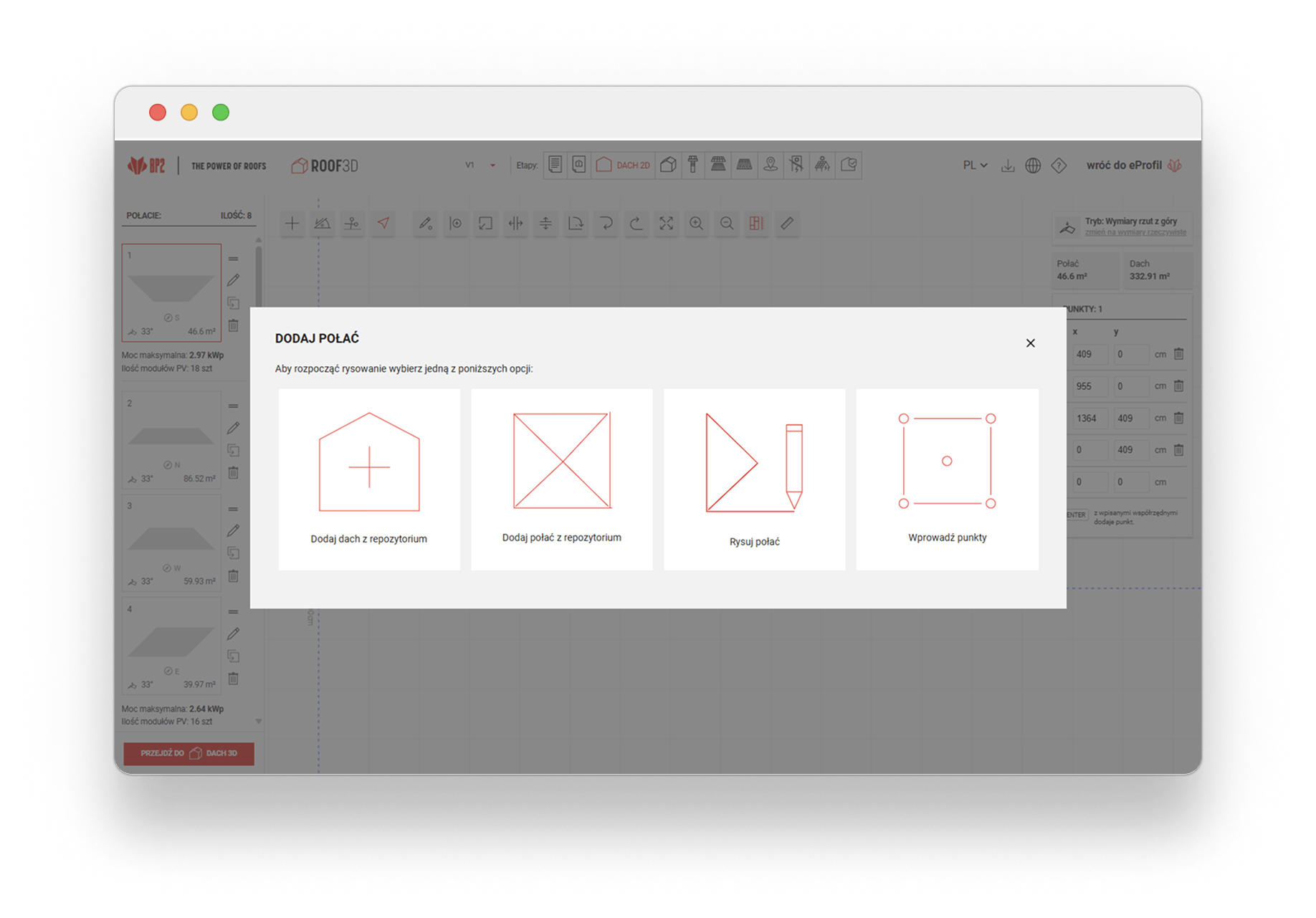
Enter the roof dimensions, choose the type of roofing, and proceed to optimization – plan your project with ROOF3D!
Enter the exact dimensions of the roof, taking into account its shape, pitch angle, and surface area. Then choose your preferred type of roofing. When you finish this stage, use the optimization function in the ROOF3D program. The tool will automatically analyze your project and calculate the exact amount of materials needed, eliminating the risk of shortage or excess components. This saves you time, reduces costs, and ensures that your roof will be well-planned.
Adjust Installation Power
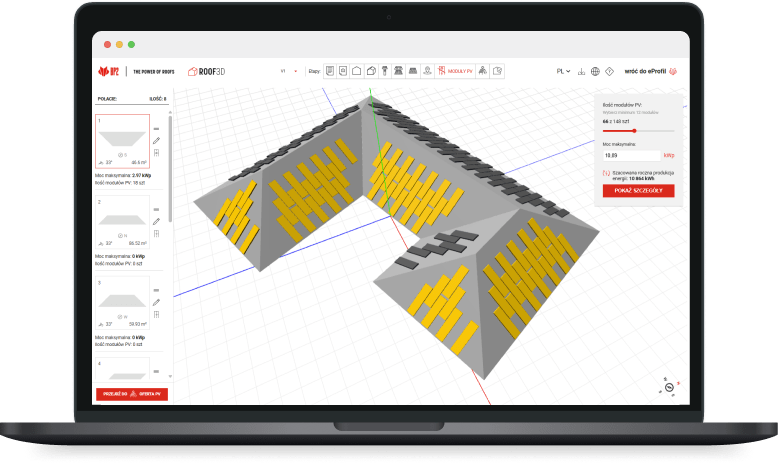
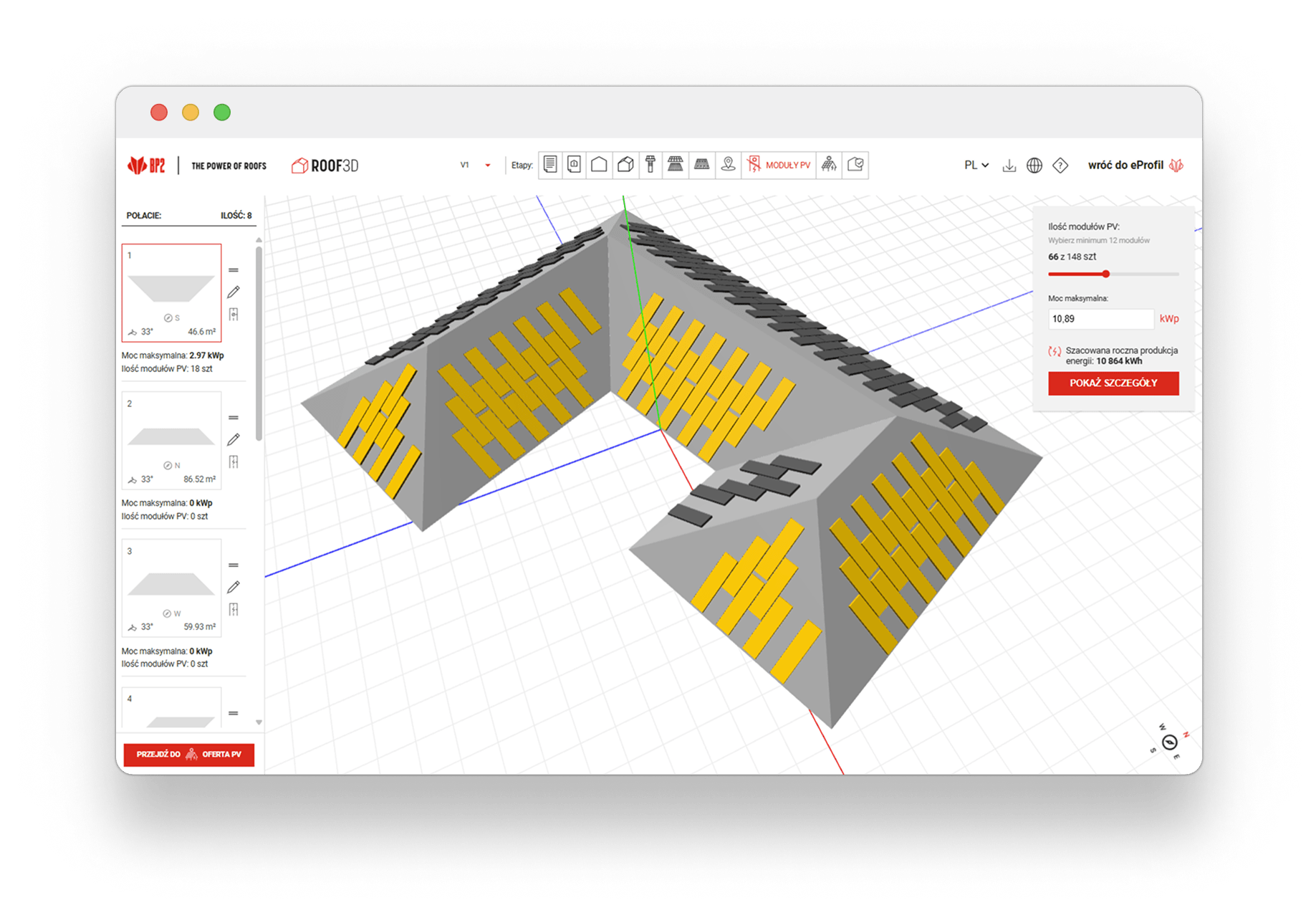
With ROOF3D, you can automatically verify the maximum power of the planned PV installation and the number of photovoltaic modules. Use the program to ensure that the parameters match the actual electricity demand in your building – both current and anticipated in the future.
If necessary, make modifications – decrease or increase the number of modules to achieve the desired power level. This ensures that the project will be energy-efficient, economically viable, and fully tailored to your lifestyle and energy consumption profile.
The program will automatically take these changes into account in further calculations, allowing for precise planning of the entire installation – from component selection to roof placement.
Real Energy Production
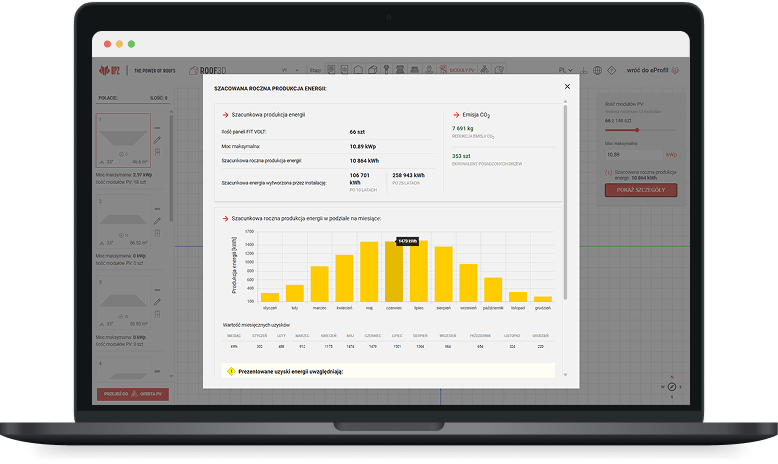
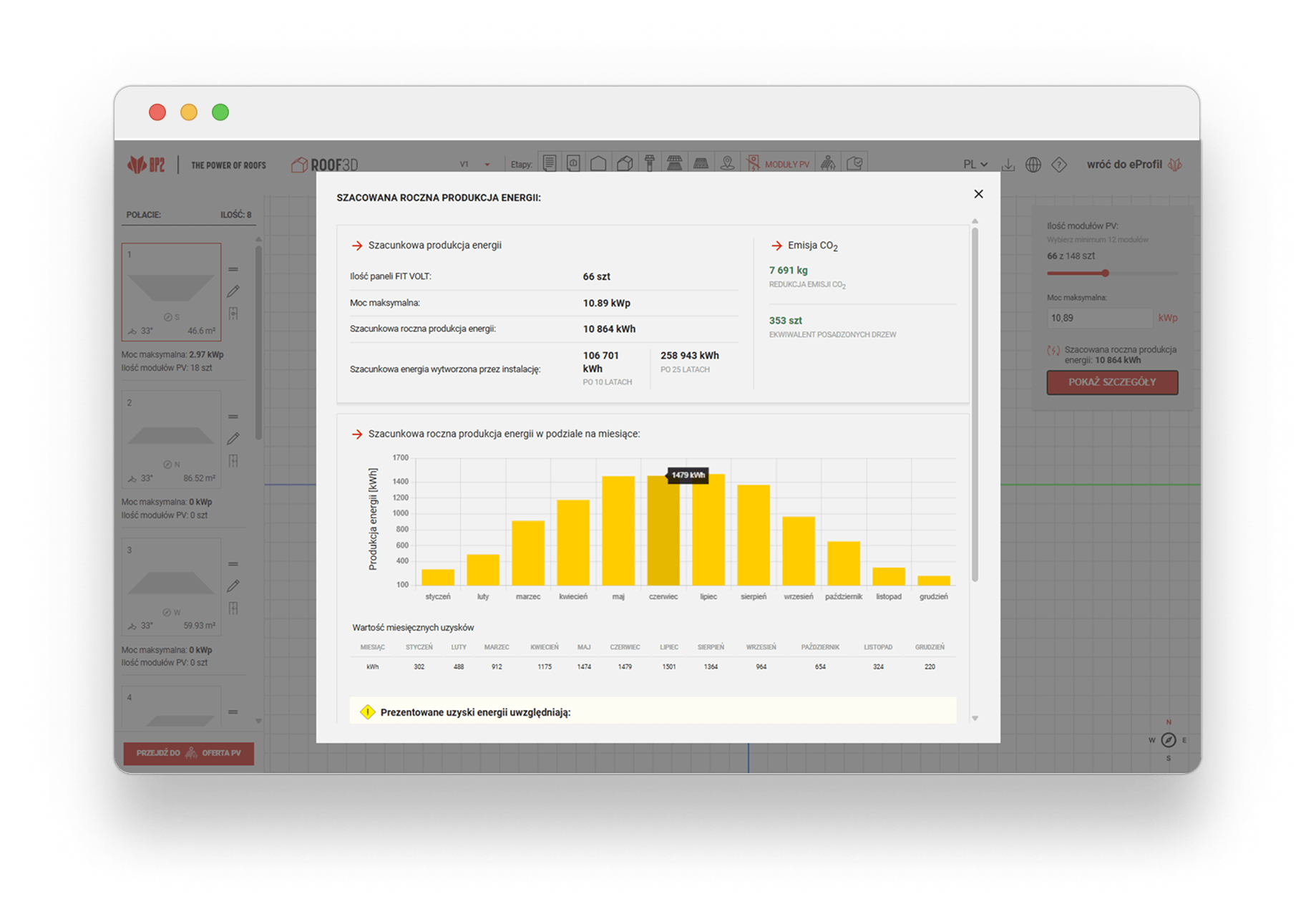
Check real energy production – plan your PV installation with ROOF3D!
With ROOF3D, you can quickly calculate the energy requirements for your investment and find out the optimal number of FIT VOLT steel photovoltaic panels. The program is based on the advanced SolarEdge Designer tool, which takes into account factors such as the slope and orientation of roof surfaces, geographical location, and installation size.
Thanks to the mobile version of the calculator, you can also use it in the field – for example, during meetings with clients. Remember that the forecasts do not include losses resulting from shading or module soiling – actual performance may vary depending on the environment.
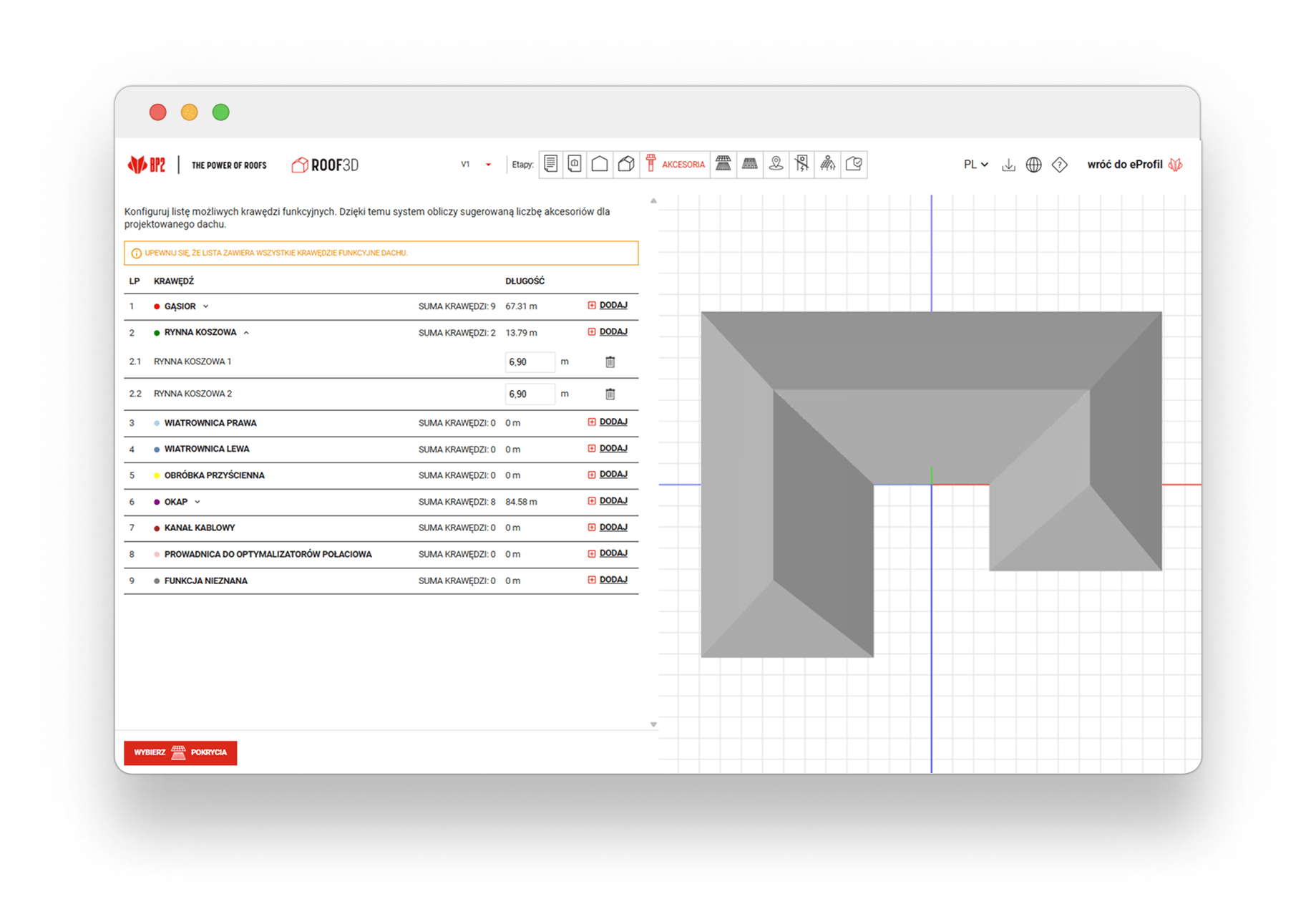

THE SYSTEM WILL CALCULATE ACCESSORIES AND TRIMS FOR YOU
Based on the three-dimensional roof design, the system automatically selects all necessary accessories and steel trims – without the need for manual counting. This ensures that the offer is complete and technically correct.
Additionally, the distributor can extend the quote to include a gutter system and add their own installation or service offerings, tailoring the offer to the customer’s needs.
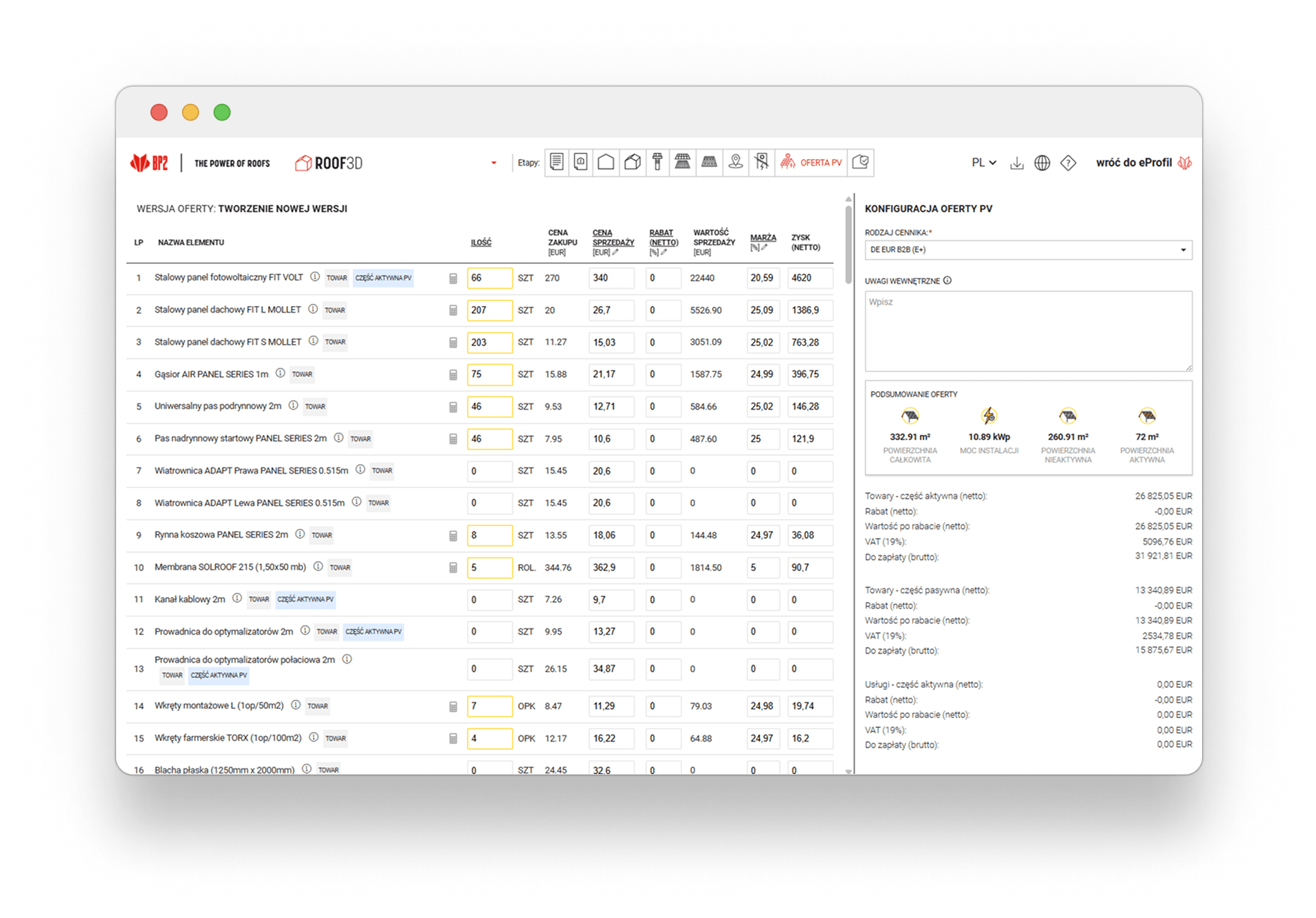
Check the Quote
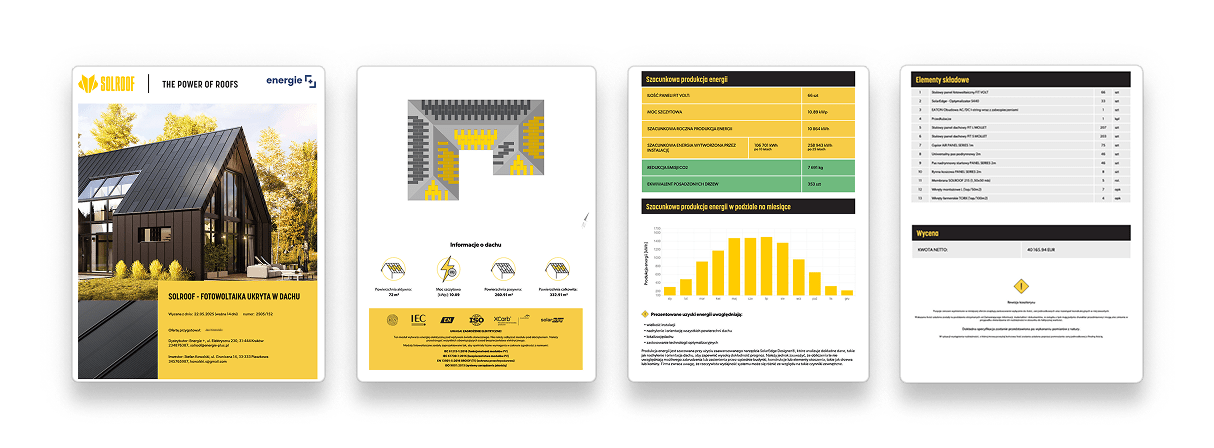
Based on the created project, the ROOF3D program will automatically generate a complete offer with an accurate quote. You can adjust its content at any time – modify prices, add discounts, set your own profit and margin, and change the technical parameters of the project.
The ready-made offer is generated in PDF format with an attractive 3D visualization of the roof on Google Maps – ready to be presented to the client.

I WANT TO KNOW MORE
Frequently Asked Questions

WILL THE SOFTWARE CALCULATE THE REQUIRED FLASHINGS?
Yes, if you select a roof from the repository without additional modifications. ROOF3D will automatically calculate all required flashings. However, if you draw a roof slope manually, the flashings must be calculated independently. Each product includes a detailed description and guidelines on how to correctly include it in the design.
DOES THE SOFTWARE UPDATE THE SYSTEM CAPACITY DURING SOLROOF ROOF DESIGN?
Yes, as you add additional FIT VOLT panels, the application continuously updates the total system capacity.
DO I NEED TO CREATE A NEW PROJECT IF I WANT TO MAKE CHANGES?
No, there is no need. All project versions are saved automatically, allowing you to easily edit and compare them without creating a new project.
CAN I QUICKLY CHANGE THE TYPE OF ROOF COVERING?
Yes, simply select a new roof covering and generate a new design.
DO I NEED TECHNICAL OR ARCHITECTURAL SKILLS TO DESIGN A ROOF?
No, it is sufficient to know the roof dimensions and pitch, and to select the appropriate shape from the repository.
CAN I DESIGN USING OTHER PRODUCTS FROM YOUR OFFER IN ROOF3D?
All products from the BP2 portfolio are available in the application.
HOW CAN I GET ACCESS TO THE SYSTEM?
To obtain access, please contact our sales representative who handles your orders. You can also fill out the application form by clicking this link.
ON WHICH DEVICES CAN I USE ROOF3D?
On any device with access to an internet browser and a connection to the internet. ROOF3D works on desktop computers as well as mobile devices such as tablets and smartphones.

SOLROOF NEWS
Sign up
for our newsletter
Are you a roofer, distributor, or designer? SOLROOF NEWS is not spam, it’s a content-rich industry mailing – follow roofing trends and the dynamically developing SOLROOF offer with us!


